 VisualCubing
Level 2 · Intermediate · Skewb
The intermediate Skewb: the opposite face in one go
This is the beginner method with steps 2 and 3 merged into one: instead of orienting the four top corners and then placing the yellow centre, you do both at once. What you gain isn't moves, it's stops: where before you looked at the Skewb twice and applied two formulas, now you look once, recognise the case and go. There are eleven cases, grouped by how many blocks they need, and all of them use the sledgehammer —the four-move block from the Notation page— aimed at the top corner, to the right or to the left.
Solve the last layer by recognizing the case: 11 cases, grouped by number of blocks, and always with the same formula as before. For when you can already solve it and want to stop guessing.
Drag the Skewb with your finger to look at it from anywhere, and use the playback area to see each formula step by step.
i
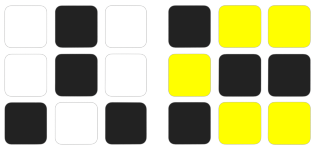
Each case comes with its two pictures: the same case seen from one side and the other. Press ⇄ to switch between them and keep whichever is easier for you to recognise.
Method steps
↔ Drag to rotate the cube
—
—